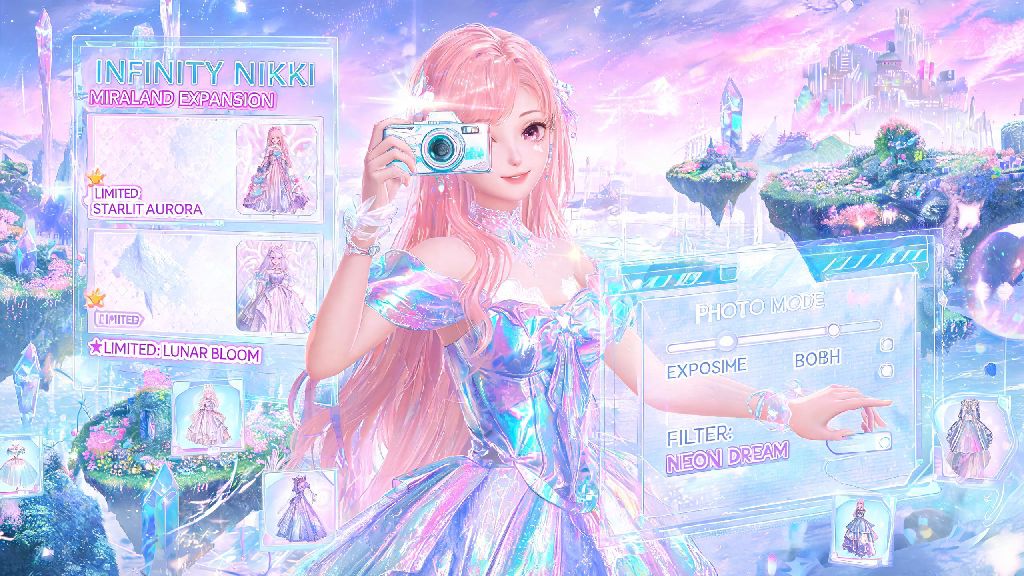
2026 has already been such a wild year for Infinity Nikki fans, between the massive Miraland open world expansion, 3 new limited outfit sets, and the huge photo mode overhaul that dropped back in March. I’ve sunk nearly 40 hours into the game since that update landed, and the most common question I see pop up in Discord servers and Reddit threads is how to take a picture in Infinity Nikki that doesn’t look like a blurry, basic snapshot. A lot of new players don’t realize how many hidden features the photo mode has, so I put together this full guide based on months of testing and winning in-game photo contests.
First Steps to Unlock Full Photo Mode Features in 2026’s Infinity Nikki Update
You don’t get access to the full photo mode toolkit right when you start the game, and that’s the first mistake most new players make. They try to take shots with the basic default camera and get frustrated when they can’t adjust angles or lighting properly. You must reach player level 12 and complete the first 3 main story chapters to unlock the “Luminous Lens” side quest in the Cherry Blossom District, which gives you full access to all photo mode features.
It only takes about 15 minutes to complete the side quest, and the rewards are more than worth it. You’ll get 360-degree camera rotation, time of day adjustment sliders, 12 exclusive sticker packs, and a library of 75+ custom poses for Nikki and her companion pets. You’ll also unlock the ability to save unedited raw photo files, which comes in handy if you want to re-edit shots later or enter official community contests.
But even if you don’t want to complete the side quest, you can still use the basic camera for quick snapshots. Just don’t expect to get the same high-quality shots that players with full access are sharing to the in-game gallery right now.
How to Take a Picture in Infinity Nikki: Step-by-Step Basic Controls
Once you have full photo mode unlocked, accessing it is super simple. When you’re exploring the open world, tap the small camera icon on the top right of your screen. If you have UI disabled to reduce clutter, just double tap anywhere on the screen to bring the UI back first. Once you enter photo mode, you can drag your finger across the screen to adjust the camera angle, and pinch to zoom in or out between 0.5x and 3x magnification.
Tap on Nikki directly to bring up the pose and outfit adjustment menu, where you can change her expression, adjust how her hair or dress falls, and even make her hold small accessories like flowers or lanterns. Hold down the depth of field slider for 2 seconds to unlock manual focus, which lets you choose exactly what part of the shot is sharp and what part is blurred. If you want to see the full list of hidden controls added in the latest patch, you can check the official 2026 Infinity Nikki photo mode patch notes for full details.
There are a ton of quick shortcuts that most players never discover, even after months of playing:
Once you have your shot set up exactly how you want it, just tap the white shutter button on the bottom of the screen. Your photo will save automatically to both your in-game gallery and your device’s camera roll, so you can share it anywhere you want.
Pro Tips for Making Your Infinity Nikki Photos Stand Out in 2026
Now that you know the basic controls, it’s time to level up your shots to look like the ones that get thousands of likes on the in-game trending page. The first tip I always share is to play around with time of day and weather settings to match your outfit. Use the seasonal weather filters added in the 2026 summer update for sunset and snow shots to add warm or cool tones without over-editing. For example, if you’re shooting the new 2026 Starry Night Ball gown, set the time to midnight to make the glow-in-the-dark embroidery on the skirt pop against the dark sky.
Don’t be afraid to leave negative space in your shots, either. A lot of new players zoom in so close on Nikki that you can’t see the beautiful scenery around her. Follow the rule of thirds (you can toggle a grid in photo mode settings to make this easier) and leave 1/3 of the frame empty for mountains, cherry blossom trees, or city skylines. That makes your shot look more intentional and less like a random snapshot.
Always test both front and back camera angles for outfit shots, as many designs have hidden details on the back that you won’t see from the front. The 2026 Floral Fairy outfit, for example, has a huge cascading ribbon down the back that most players never capture in their shots. You can also add small, subtle details to make your shot feel more alive, like a cat walking in the background or a vendor selling flower crowns in the distance. Just don’t add so many extra elements that they distract from Nikki.
If you have a companion pet unlocked, use the new 2026 pet pose feature to have them sit or play next to Nikki. Shots with pets get 2x more likes on the in-game gallery on average, and they’re perfect for entering the monthly pet photo contest that gives out free premium currency as prizes.
Common Mistakes to Avoid When Taking Photos in Infinity Nikki
Even if you know all the controls, it’s easy to make small mistakes that ruin an otherwise perfect shot. The most common mistake I see is players forgetting to lock exposure when shooting against bright light, like a sunset or a snowy mountain. If you don’t lock exposure, Nikki will look dark and washed out against the bright background. You can fix this by tapping on Nikki’s face once to lock both focus and exposure before you take the shot.
Another big mistake is overloading your shot with stickers and filters. It’s tempting to use all the cute new stickers you unlocked, but too many of them will make your shot look cluttered and unprofessional. I recommend using no more than 2 small stickers per shot, unless you’re entering a silly themed community contest that calls for over-the-top edits.
Don’t skip saving the raw unedited file, especially if you captured a rare one-time event like a seasonal aurora or festival parade. A lot of players edit their shots right away and overwrite the original, then later realize they want to try a different filter or crop for a contest. Saving the raw file only takes a extra second, and it can save you a lot of frustration later.
The last mistake to watch out for is accidentally leaving UI elements on when you take your shot. It’s so easy to forget to hide the pose menu or exposure slider, and then you end up with a random icon in the corner of your perfect photo. Double tap the screen twice before you hit the shutter to make sure all UI is hidden, and you’ll avoid this annoying issue entirely.
Once you get the hang of how to take a picture in Infinity Nikki, it’s easily one of the most fun parts of the 2026 version of the game. I’ve won 3 small in-game prizes this year for my shots of Nikki in the desert area at sunrise, and I’ve made dozens of friends by sharing my shots in community groups. Don’t be afraid to experiment with weird angles, silly poses, and unexpected scenery – some of my favorite shots came from messing around with settings I thought I’d never use. If you have a go-to hidden photo spot in Miraland, drop it in the comments below so other players can check it out too.