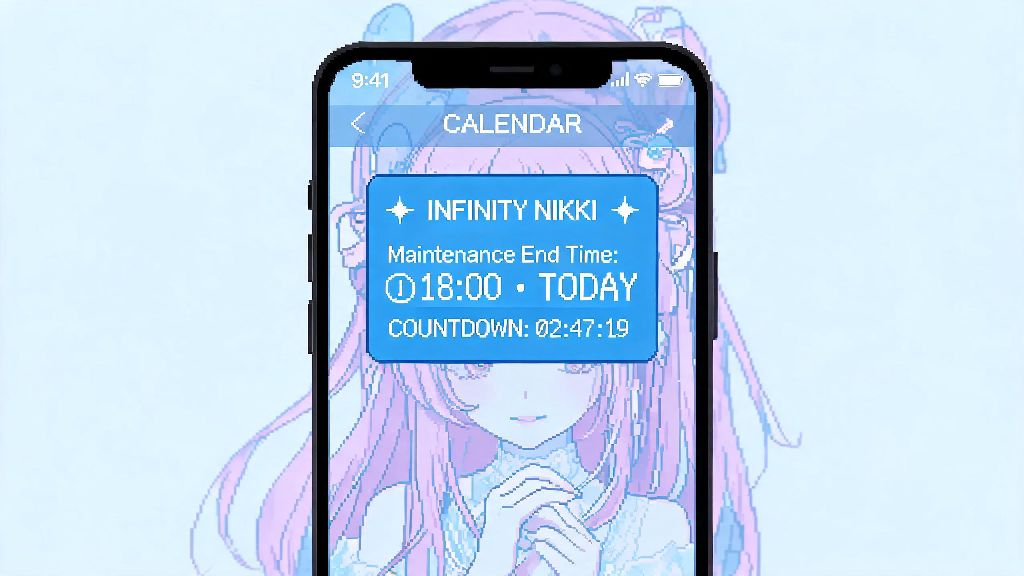
I can’t tell you how many times I’ve sat down to grind a limited Infinity Nikki event after work, only to be greeted by that dreaded blue maintenance pop-up. The first question that pops into my head every single time is when will Infinity Nikki maintenance end, especially if I only have an hour or two to play that night. If you’re in the same boat, you don’t have to refresh your app every 10 seconds or scroll through random fan groups for unconfirmed rumors. This guide breaks down exactly how to get accurate end times, what causes downtime in the first place, and what you can do to pass the time while you wait to get back to styling.
How to Check Exactly When Will Infinity Nikki Maintenance End
The only way to get 100% accurate information about maintenance end times is to stick to official developer channels. Third-party fan accounts or random commenters on TikTok might post guesses, but those are rarely reliable, especially for emergency downtime. Official social media accounts are the most reliable source for maintenance end times, and devs usually post updates there every 30 to 60 minutes if there are unexpected delays.
For scheduled maintenance, you’ll usually get an in-game notification 24 to 48 hours before downtime starts, with a clear start and estimated end time. These timelines are almost always set for off-peak hours for the majority of the player base, so you won’t usually see maintenance run during prime evening play time unless there’s a critical issue. If you miss the in-game notification, you can also check the official Discord server, where mods pin all maintenance announcements at the top of the announcements channel for easy access.
One trick I use to avoid missing updates is to turn on post notifications for the official Infinity Nikki X (Twitter) account. That way, I get a push alert on my phone the second the devs post that maintenance is over, or if they need extra time to fix bugs. You don’t have to scroll through social media constantly to get updates, and you’ll never waste time trying to log in 20 minutes before servers are actually live.
Common Reasons You Might See a Maintenance Screen in Infinity Nikki
Not all maintenance is the same, and the reason for downtime will usually impact how long it lasts. Scheduled maintenance is the most common type, and it’s planned weeks in advance to roll out new content or fix non-urgent bugs. Emergency maintenance is far less common, and it’s triggered by a critical issue that’s breaking the game for a large number of players.
Scheduled maintenance almost never runs past its stated end time unless devs find unforeseen bugs during the deployment process. Most scheduled maintenance windows last between 2 and 4 hours, depending on how big the update is. Small hotfixes might only take 30 minutes to an hour, while big seasonal updates that add entire new map areas or story chapters can take up to 6 hours in rare cases.
Some of the most common tasks handled during scheduled maintenance include:
Emergency maintenance, on the other hand, usually doesn’t have a set end time when it first starts. Devs will usually post that they’ve taken servers down to fix a critical issue, and they’ll share updates as they figure out how long the fix will take. Common reasons for emergency maintenance include widespread server crashes that lock all players out, exploits that let players duplicate premium currency or limited items, and payment processing errors that stop players from buying in-game packs.
What You Can Do While Waiting for Infinity Nikki Maintenance to Wrap Up
Downtime doesn’t have to be a waste of time, and there are plenty of small tasks you can do to make your next play session even more productive once servers are back up. If the maintenance is for a new event drop, you can spend the time going through your existing wardrobe to pull out pieces that fit the leaked event theme, so you don’t have to scramble to build outfits right after the event goes live.
You can also catch up on community content, like fan-made styling tutorials or event guides posted by top players on Reddit or YouTube. Many long-time players post early breakdowns of event requirements and point thresholds right after maintenance starts, so you can plan exactly how many days you need to grind the event to get all the limited rewards. Many dev teams give out free premium currency as an apology if maintenance runs longer than expected, so don’t get frustrated if there’s a delay – you might get extra diamonds or stamina packs to make up for the wait.
If you’re not interested in planning ahead, you can also use the downtime to submit fan art or cosplay to official community contests, which often reward winners with free premium currency or exclusive in-game items. You don't need to keep the game open while waiting for maintenance to end – you'll get a push notification if you have those enabled once servers are live, so you can save your battery for actual gameplay instead of staring at the maintenance screen.
So if you find yourself stuck waiting, don’t just sit there refreshing your app. Grab a snack, catch up on a show you’ve been putting off, or even work on a quick styling sketch for your next Nikki outfit. The time will pass way faster than you think, and you’ll be back in the game before you know it.
What to Do If Servers Are Still Down After the Stated Maintenance End Time
It’s not uncommon for maintenance to run 15 to 30 minutes past the stated end time, even if there are no big issues. Devs usually add a small buffer to their estimated end times, but sometimes they find last-minute bugs that need to be fixed before servers can go back online. If it’s only been 30 minutes past the end time, the best thing you can do is just wait a little longer and check official channels for updates.
If it’s been more than an hour past the stated end time and there’s no official update, you can try restarting your game app and checking your internet connection to make sure the issue isn’t on your end. Sometimes the game will get stuck showing the maintenance screen even after servers are back up, and a quick restart will fix that. If you’re still having issues after restarting, you can check community hubs like the official Discord server to see if other players are having the same problem.
Avoid downloading third-party "server fix" tools when maintenance is running late – most of these are scams that can steal your account information or install malware on your device. There is no tool that can let you bypass maintenance or access servers early, so any ad or post claiming to offer that is a scam. If you’ve waited more than 3 hours with no official update, you can reach out to customer support to ask for more information, but in most cases, the devs will post an update long before that point.
At the end of the day, figuring out when will Infinity Nikki maintenance end is pretty straightforward if you stick to official sources and avoid random unconfirmed rumors. Maintenance might be frustrating when you’re excited to play, but it’s almost always worth it for the new content, bug fixes, and quality of life improvements that come with each update. Next time you hit that dreaded maintenance pop-up, you’ll know exactly where to check for updates, what to do while you wait, and how to avoid common scams that target players during downtime.