If you’ve ever tried to add a custom texture pack, back up your save files, or move Infinity Nikki to a bigger drive, you’ve probably asked where does Infinity Nikki install by default. Most players stick to the default install path when they first download the game, so it’s easy to lose track of where the files are stored weeks or months later. I’ve dug through every hidden folder on my own PC and tested every platform to put together this no-fluff guide, so you won’t have to waste hours scrolling through forum threads for answers.
Where Does Infinity Nikki Install by Default Across Platforms?
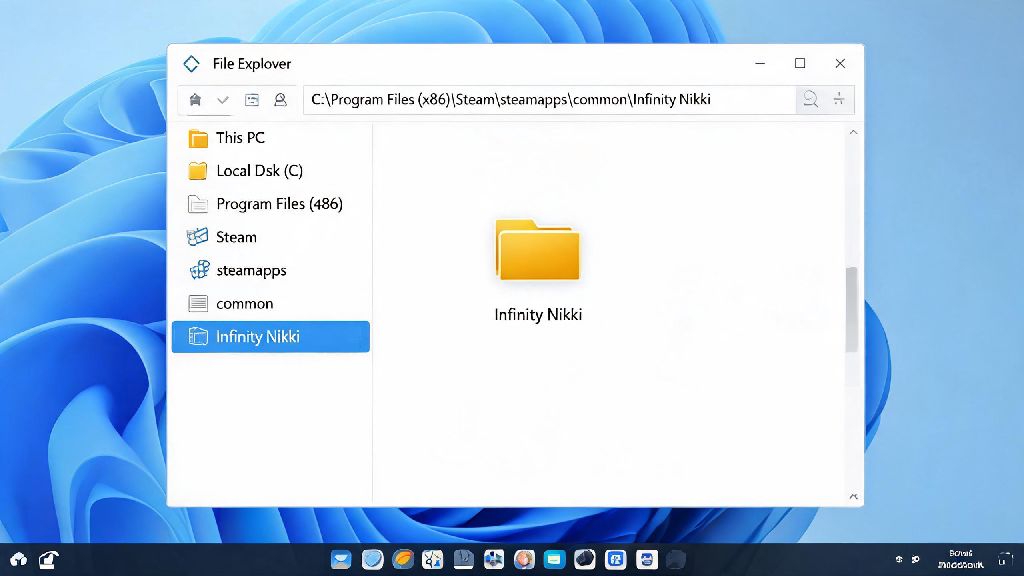
The exact install location depends entirely on what device and launcher you used to download the game, but there are standard default paths you can check first. For Windows PC players using Steam, you’ll find the game in your Steam folder under Steam\steamapps\common\Infinity Nikki unless you changed your default Steam library location. If you used the official Infinity Nikki launcher, the default path is C:\Program Files\Infinity Nikki for 64-bit systems, or C:\Program Files (x86)\Infinity Nikki for older 32-bit setups.
Mobile players have slightly different access rules. For Android users, the default install folder is under Android\data\com.papegames.infinitynikki.en on your internal storage, though you may need to enable "show hidden files" in your file manager to see it. iOS users won’t be able to access the raw install folder at all without jailbreaking their device, which violates Apple’s terms of service and risks getting your game account banned. Console players on PS5, Xbox Series X/S, and Nintendo Switch will find the install stored in the console’s internal storage or external memory card, but you can’t access individual game files on these platforms to modify them.
How to Locate Your Infinity Nikki Install Folder If You Changed the Default Path
If you chose a custom install location when you first downloaded the game, the default paths above won’t work, but there are fast ways to track down the folder without searching your entire drive. For any PC launcher, the easiest method is to open your game library, right click on Infinity Nikki, and select the browse local files option. On Steam this is under the "Manage" submenu, on Epic Games Store it’s under the three dot menu next to the game title, and on the official launcher it’s listed under game settings.
If the launcher can’t find the game either, you can use Windows search to track down the executable file. Type "Infinity Nikki.exe" into the search bar on your taskbar, wait for the result to pop up, then right click it and select "open file location." Never move or delete core game files while the launcher or game is running, as this can corrupt your install entirely and force you to redownload the whole game from scratch. If you can’t find the .exe file at all, it’s likely your antivirus quarantined it by mistake, which we’ll cover more in the troubleshooting section.
Common Reasons You Might Need to Access Your Infinity Nikki Install Folder
Most players never need to touch their game install folder until they run into a specific issue or want to customize their play experience. These are the most common reasons you might be looking for the folder right now:
Before you make any changes to the folder, there are a few key rules to follow to avoid losing progress or breaking your game. Always make a full backup of your install folder before making any changes, so you can roll back to the original version if something goes wrong. Modding is only allowed on PC versions of the game, so don’t try to modify mobile or console installs, as this can result in a permanent ban from online multiplayer and event features. If you’re planning to move the install folder, always use the launcher’s built-in move tool first instead of dragging and dropping the folder manually, as this will update the launcher’s file path automatically and prevent launch errors later on.
Never download mod files from untrusted sources, as they can contain malware that steals your account credentials or damages your device. Only use mod files from well-known community hubs that have moderation teams to vet uploads for safety.
Troubleshooting Tips for Missing Infinity Nikki Install Files
It’s not uncommon for launchers to lose track of your install folder, especially if you moved it manually or use an external drive to store your games. The first fix to try if your launcher says the game is uninstalled even though you know it’s on your device is to open the launcher’s settings, select "add existing install," and navigate to the folder where you stored the game files. That will reconnect the launcher to the game so you don’t have to redownload everything.
If your install folder is completely missing, check your antivirus quarantine folder first. Many free antivirus programs flag lesser-known game launchers as suspicious by default, and they may delete core game files without sending you a notification. Add the Infinity Nikki install folder to your antivirus’s whitelist after you restore the files, to prevent this issue from happening again in the future.
If you accidentally deleted the install folder, check your recycle bin first to restore it. If it’s not there, you can use the launcher’s "verify file integrity" function to redownload all missing or corrupted files in 10 to 15 minutes, depending on your internet speed. For players who store the game on an external drive, make sure the drive is fully connected and recognized by your device before you open the launcher, otherwise the launcher won’t be able to find the install files.
Once you know where does Infinity Nikki install across your devices, you can back up your saves, add safe mods, and move the game to a faster drive without stress. I used these exact steps last month to move my own install from my old hard drive to a new SSD, and it cut my load times in half with no lost progress or launch errors. If you run into a weird edge case that isn’t covered here, feel free to leave a note in the comments and I’ll help you track down your files.