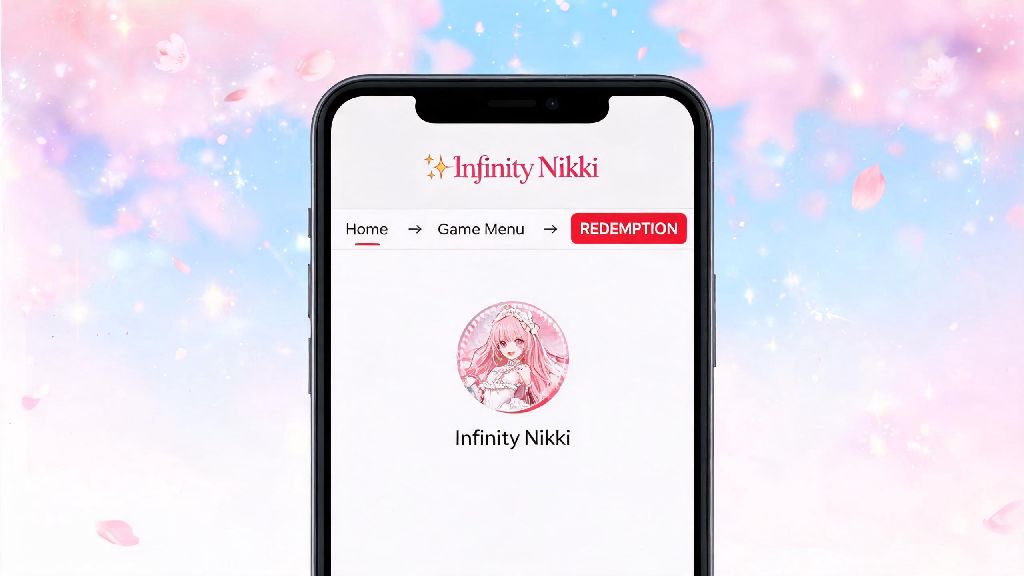
If you’re an Infinity Nikki fan, you’ve probably seen tons of codes floating around on social media that promise free diamonds, limited-edition outfits, and cute accessories you’d otherwise spend hours grinding to earn. But if you’re new to the game, you might be stuck wondering where to put Infinity Nikki codes before those limited-time offers expire. I’ve been there too—my first week playing, I missed out on a rare cherry blossom hair set because I spent 20 minutes clicking every menu button trying to find the redemption tab. That’s why I put together this no-fluff guide to walk you through every step, plus common mistakes to avoid so you never waste a code again.
Where to Put Infinity Nikki Codes: Exact Menu Path for All Devices
The redemption process is almost identical across iOS, Android, and even Android emulators used for PC play, so you won’t have to learn different steps if you switch devices. First, make sure you’re logged into your main registered game account, not a guest account, because codes only apply to the account you’re signed into when you redeem. Open the Infinity Nikki app and wait for the home screen to fully load—don’t click any event pop-ups first, because those will block the menu button you need.
Next, look for the profile icon in the top left corner of the screen, it’s the small circle with your current Nikki avatar on it. Tap that to open your account settings page. From there, look for the "Redemption Code" button near the bottom of the account menu, right below your user ID and server information. Tap that, and you’ll see a blank field where you can type or paste your code, then hit confirm to submit it.
If you’re on iOS and don’t see the redemption button right away, don’t panic. Apple’s App Store policies sometimes delay the appearance of code redemption features for new accounts, so just check back the next day and it should be visible. You also won’t see the button if you haven’t finished the first 10 minutes of the game’s opening tutorial, so make sure you’ve completed that first.
Tips to Make Sure Your Code Redemption Works Every Time
Even if you know where to enter your code, you might run into errors if you skip a few small but important steps. First, codes are case-sensitive, so if you’re typing it manually, make sure you match uppercase and lowercase letters exactly, and don’t add any extra spaces at the start or end. I always copy codes directly from official sources to avoid this mistake entirely.
Most codes expire 7 to 14 days after they’re released, so if you find a code shared by another player, try to redeem it as soon as possible to avoid missing out. You also can’t redeem the same code twice on one account, so if you get an error that says “code already used”, that’s likely why. Some event-specific codes are only available for players on specific servers too, so double check that the code is intended for your region before you reach out to support.
If you do get an error message, use this quick guide to figure out what went wrong:
Where to Find Valid Infinity Nikki Codes in the First Place
Knowing where to put Infinity Nikki codes won’t help much if you’re using fake or expired codes, so it’s important to only get codes from trusted sources. Official Infinity Nikki social media accounts on Twitter, Instagram, and TikTok post codes every time there’s a new event, a holiday, or a major game update. They always note how long the code is valid for, so you know exactly how much time you have to redeem it.
The official Infinity Nikki Discord server also has a dedicated codes channel where mods post new codes as soon as they’re released, and other players usually share if a code stops working within minutes of it expiring. You can also follow trusted Infinity Nikki content creators on YouTube or Twitch, as they sometimes get exclusive codes to share with their audiences during event collaborations.
Stay away from any third-party sites that claim to have “unlimited free codes” if you fill out a survey or enter your account password. Those are almost always scams designed to steal your account or personal information. The only valid codes are the ones posted directly by the game’s official team or their approved partners. I check the official Discord and Twitter accounts once a day, and I usually get at least 2 free codes a month that give me enough diamonds to buy one full limited outfit set without spending any real money.
What to Do After You Redeem Your Infinity Nikki Code
Once you tap the “confirm” button after entering your code, you’ll get a pop-up that says redemption successful if it worked. But the rewards don’t go straight to your inventory right away. You have to claim them from your in-game mailbox, which is the envelope icon in the top right corner of the home screen. Open the mailbox, look for the message that says “Redemption Code Reward”, tap it, then hit the “claim all” button to add the items to your inventory.
If you don’t see the reward in your mailbox right away, wait 2 to 3 minutes—sometimes there’s a small delay if the game servers are busy, especially right after a new code is released to the public. Mailbox rewards expire after 30 days, so don’t forget to claim them as soon as you see them, or you’ll lose the items even if you redeemed the code correctly.
You can double check that your rewards were added by looking in the right menu: Outfits go to your wardrobe, diamonds and gold add to your currency total at the top of the home screen, and limited event items go to the corresponding event tab. If you still don’t see your rewards after 10 minutes, you can contact customer support through the account settings menu, just make sure you have the exact code you tried to redeem and your user ID ready when you reach out.
Redeeming codes is one of the easiest ways to get free, exclusive items in Infinity Nikki without spending hours grinding or paying real money. Now that you know where to put Infinity Nikki codes, you can stop missing out on those limited time rewards that make the game even more fun. Just remember to only use codes from trusted official sources, double check for typos before you hit confirm, and claim your rewards from your mailbox as soon as they arrive. Next time you see a new code pop up on your social media feed, you’ll be able to redeem it in less than 30 seconds, no guesswork required.